How to Choose an AI Model: A Beginner’s Playbook on Size, Speed, Cost and Quality
Learn how to choose an AI model in five simple plays: name the job, build a small test set, compare speed and cost, then pick the lightest that passes.
Meera runs the tech team at a tiffin delivery startup in Pune. About 400 customer messages land in the inbox every morning: late lunches, address changes, “extra roti please”. She wants AI to sort each one and draft a reply. Her first question is the one every beginner asks: how to choose an AI model when there are dozens of them.
Her manager has a quick answer: “Just use the biggest one. It’s the smartest.” Her friend from college says the opposite: “Use the cheapest. It’s only sorting messages.” Both sound sure. Neither has tried it on Meera’s messages.
This playbook shows how to choose an AI model the way Meera did. It works for any provider, any model family, and any year, because it does not depend on a leaderboard. It depends on a small test you build yourself.
Last verified: 14 November 2026. AI tools change fast; check the linked sources for anything newer.
Who this is for: beginners and developers who want to learn how to choose an AI model for one real task, such as sorting, summarising, answering questions or writing code. Time needed: about 30-45 minutes to read and set up your first comparison.
How to choose an AI model, in simple words
Choosing an AI model is like hiring for a job. You would not hire a senior surgeon to sort the post, and you would not ask a new intern to do surgery. You match the person to the job, then check their work on a trial day.
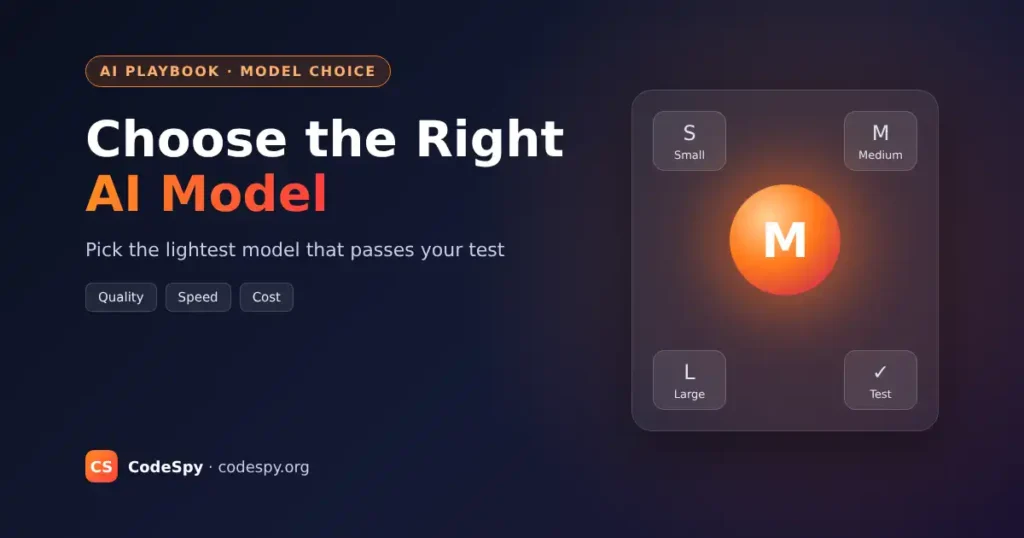
AI models come in sizes. Large models are like senior experts: strong at hard reasoning, but slower and more expensive per answer. Small models are like quick, cheap helpers: great at simple, repeated jobs. Medium models sit in between and handle most everyday work.
Four things decide the right pick. Quality is whether the answers are correct and useful. Speed (also called latency) is how long you wait for a reply. Cost is what you pay, usually per token, the small chunks of text a model reads and writes. Fit covers the rest: privacy, context window size, and whether it handles images or tools.
The precise version: choose the lightest model that reliably passes a test made from your own real examples, at a cost and speed your task can live with.
What’s new
Model providers now give the same advice on how to choose an AI model in their own guides. Anthropic’s Choosing the right model guide describes two starting points: begin with a fast, cheaper model and upgrade only if needed, or begin with the strongest model and move down later. It calls a good evaluation set “the most important step in the process.”
OpenAI’s Model selection guide gives similar advice: compare models on the same inputs, set your acceptance criteria before you compare, and keep “the lightest setting that meets your quality bar.” Both guides also point to an effort or reasoning setting, which lets one model think harder or lighter. Adjusting it is often worth trying before you switch models.
The playbook at a glance
- Name the job and the pass mark.
- Build a small test set from real examples.
- Shortlist three models: small, medium and large.
- Run the same test on each and score quality, speed and cost.
- Pick the lightest model that passes, then re-check it regularly.
Play 1: Name the job and the pass mark
Goal: know exactly what “good” means before you look at any model.
- Write the job in one sentence, for example “Sort each message into one of five labels and draft a polite two-line reply.”
- Write the pass mark, for example “At least 9 out of 10 labels correct, no rude replies.”
- Write your limits: the most you can pay per day and the longest a customer can wait.
Meera wrote: “Label 400 messages a day, 90% correct, reply in under 5 seconds, under ₹300 a day (her own illustrative budget).”
You are done when: someone else could read your sentence and judge an answer as pass or fail.
Play 2: Build a small test set from real examples
Goal: a fair trial day for every model. Demo prompts flatter every model; your own messy data does not.
- Collect 20-50 real inputs. Remove names, phone numbers and addresses first.
- Include easy ones, hard ones and weird ones: typos, mixed Hindi and English, two requests in one message.
- Write the correct answer next to each, or a short note on what a good answer must contain.
Meera pulled 30 old messages, including “lunch nahi aaya, also change address” and one that was only an angry emoji. This is the same idea as the test set in the AI evals playbook.
You are done when: you have a file of real inputs with expected answers that you can reuse for any model.
Play 3: Shortlist three models
Goal: a short, sensible list instead of testing everything.
- Pick one small, one medium and one large model, usually from a provider you already have an account with.
- Check the basics on the provider’s model page: price per million tokens, context window, and whether it supports what you need, such as images or tool calling.
- If your data must stay on your own machines, add an open model you can run yourself.
Leaderboards such as public arenas can help you spot candidates, but they test general questions, not your inbox. Use them to shortlist, never to decide. If privacy matters, the run an LLM locally playbook shows how to try an open model with Ollama.
Meera picked a small, a medium and a large model from the provider her team already used.
You are done when: you have three named models and know the price of each.
Play 4: Run the same test on each model
Goal: compare models on facts, not feelings.
- Use the same prompt and the same test set for every model. Change only the model name.
- For each answer, record: pass or fail, time taken, and tokens used.
- Work out the cost per answer from the tokens and the price list.
- Read a few failures yourself. The kind of mistake matters as much as the count.
Here is the idea as a short illustration. Real code depends on your provider’s library.
models = ["small-model", "medium-model", "large-model"]  # illustrative names
for model in models:
    passed, seconds, tokens = 0, 0.0, 0
    for case in test_set:
        start = time.time()
        reply = ask(model, PROMPT, case["message"])   # your provider call
        seconds += time.time() - start
        tokens += reply.tokens_used
        passed += (reply.label == case["expected"])
    print(model, passed, "/", len(test_set), round(seconds, 1), "s", tokens, "tokens")
In plain steps: for each model, send every test message with the same prompt, time it, count the tokens, and count how many labels match the expected answer. Then print one line per model.
You are done when: you have a small table with pass rate, average time and cost for each model.
Play 5: Pick the lightest model that passes
Goal: the cheapest, fastest model that clears your pass mark, not the “best” one in general. This is the heart of how to choose an AI model.
- Cross out any model below your pass mark.
- From the rest, pick the cheapest and fastest.
- If no model passes, improve the prompt first (see the prompt engineering playbook), try a higher effort setting, then move up a size.
- Save your test set and re-run it whenever a new model comes out or your provider changes prices.
Meera’s illustrative results: the small model scored 24 out of 30, the medium 28, the large 29. The medium model passed her 90% bar at about a fifth of the large model’s cost, so she chose it. The large model’s extra point was not worth the bill.
You are done when: you have picked a model, written down why, and set a reminder to re-test.
Do you need a big model?
| Option | Good at | Trade-off | Choose it when |
|---|---|---|---|
| Small model | Sorting, extracting fields, short replies | Weaker on tricky reasoning | High volume, simple job, tight budget or speed |
| Medium model | Most everyday tasks, writing, simple code | Costs more than small | Small fails your test but the job is not very hard |
| Large model | Hard reasoning, long documents, complex code, agents | Slowest and most expensive | Accuracy matters more than cost, and medium fails |
| Open model you run yourself | Privacy, offline use, fixed cost | You manage hardware and updates | Data must stay with you, or volume is huge |
Mistakes to avoid
Most problems with how to choose an AI model come from skipping the test. Watch for these.
- Picking by leaderboard alone. Fix: use rankings to shortlist, then decide with your own test set.
- Testing with three made-up prompts. Fix: use 20-50 real, messy examples, including the weird ones.
- Defaulting to the biggest model. Fix: start with your pass mark and pick the lightest model that clears it.
- Changing the prompt and the model at the same time. Fix: change one thing per test run, so you know what helped.
- Choosing once and forgetting. Fix: re-run the test when models or prices change. The LLM cost optimization playbook shows more ways to cut the bill.
How to know it is working
- Your chosen model still passes the test set when you re-run it a week later.
- Real users or teammates rarely need to fix its answers.
- Daily cost and response time stay inside the limits you wrote in Play 1.
- When a new model appears, you can compare it in under an hour because the test is ready.
Your checklist
- ☐ The job is written in one sentence with a pass mark.
- ☐ Limits for cost per day and waiting time are written down.
- ☐ A test set of 20-50 real, cleaned examples exists.
- ☐ Three models are shortlisted, with prices.
- ☐ Each model was run on the same test with the same prompt.
- ☐ The lightest passing model is chosen and the reason is saved.
- ☐ A re-test reminder is set.
Frequently asked questions
Which AI model is the best?
There is no single best model for every job. The best model for you is the one that passes your own test at a cost and speed you can accept. A model that tops a leaderboard can still be the wrong choice for a simple, high-volume task. That is why knowing how to choose an AI model matters more than any ranking.
Should a beginner start with a small or a large model?
Both work. Starting small keeps costs low while you learn and is fine for simple jobs. Starting large shows you the best quality possible, and then you can try smaller models to save money. Anthropic’s guide describes both starting points.
How many test examples do I need?
Twenty to fifty real examples are enough to see clear differences between models. Include easy, hard and strange cases. You can grow the set later whenever a real answer goes wrong.
Should I use an open model or a hosted API?
A hosted API is the easiest start: no hardware, pay per use. An open model you run yourself makes sense when data must stay private or volume is very high. Test both on the same set if you are unsure.
When should I switch to a different model?
Re-run your test when a new model comes out, when prices change, or when users report more mistakes. Switch only if the new model passes and is cheaper, faster or clearly better on your failures.
Meera’s inbox, one month later
Meera’s medium model now sorts every morning’s messages before the team logs in. When a new small model came out last week, she ran her 30-message test over lunch. It scored 25, so she stayed put, and it took her 20 minutes to know that for sure.
Now you know how to choose an AI model without guessing. Your next step: write your one-sentence job and collect 20 real examples today. Then learn how to grade them properly in the AI evals playbook, and if you are new to tokens and context windows, start with how LLMs work.
Sources: Anthropic, Choosing the right model; OpenAI, Model selection. Meera’s story, budget and test scores are illustrative.