Harnessing Spring AI Function Calling: A Guide to Extending AI Capabilities
In the world of AI-driven applications, spring ai function calling is a game-changer that allows you to extend the capabilities of your models beyond simple input and output.
With Spring AI, you can integrate function calling to make your AI interactions more dynamic and versatile.
This guide will walk you through what function calling is in the context of Spring AI, and how you can implement it in your projects with practical code examples.
What is Function Calling in Spring AI?
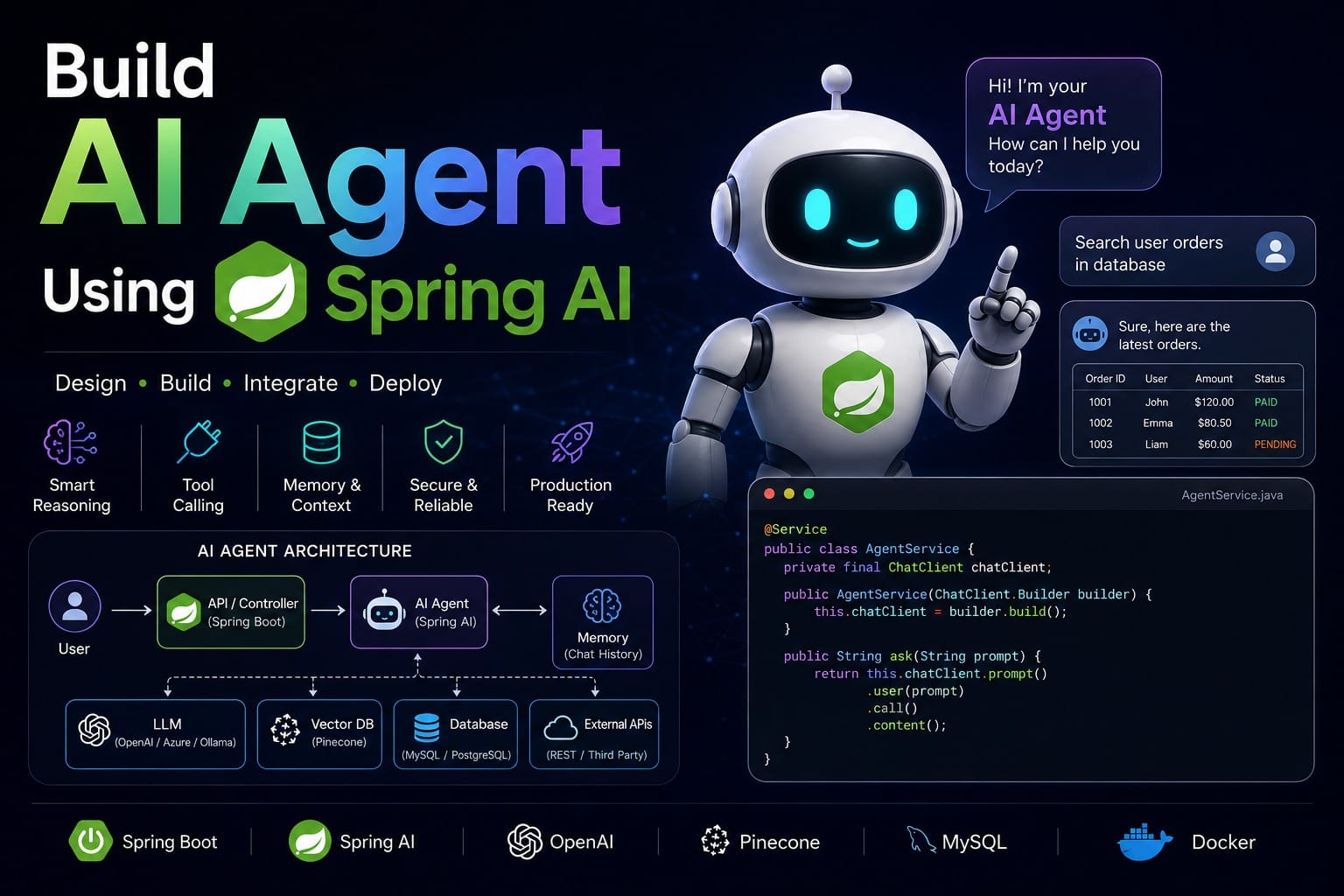
Function calling in Spring AI refers to the ability of an AI model to invoke specific functions or methods based on the user’s input or the AI’s internal logic.
This feature allows AI models to perform more complex tasks by executing predefined functions that handle various operations, such as data processing, external API calls, or business logic.
Function calling enables a more interactive and powerful AI experience.
For example, an AI chatbot might call a function to retrieve the weather forecast or process a user’s request based on real-time data.
By incorporating function calling, you can make your AI applications more responsive and capable of handling a wide range of tasks.
Implementing Function Calling in Spring AI
To get started with function calling in Spring AI, you need to set up your project and configure your functions properly.
Here’s a step-by-step guide to help you implement function calling in your Spring AI application:
- Set Up Your Spring AI Project
- We have already discussed about, how to create spring ai project. You can go through that post for initial project setup.
- Define Your Functions
- Create the functions that you want the AI model to call. These functions can perform various tasks, such as data retrieval or processing.
- We will create a function class to get hotel details.
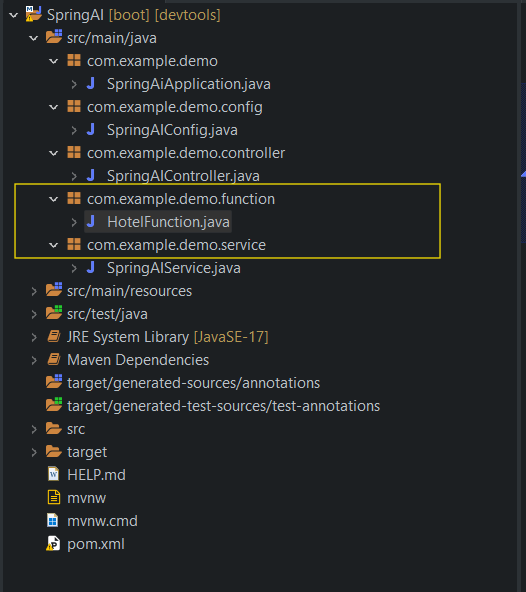
- Function class:
package com.example.demo.function;
import java.util.function.Function;

public class HotelFunction implements Function<com.example.demo.function.HotelFunction.Request, com.example.demo.function.HotelFunction.Hotel>{
	public record Request(String request) {}
	public record Hotel(Integer id, String name, String address, String price) {}
	public Hotel apply(Request request) {
		return new Hotel(1, "IBIS Hotel", "Kolkata", "3000");
	}
}- Bean Configuration:
- Create a bean for function calling.
package com.example.demo.config;

import java.util.function.Function;

import org.springframework.ai.chat.client.ChatClient;
import org.springframework.ai.openai.api.OpenAiApi;
import org.springframework.beans.factory.annotation.Value;
import org.springframework.context.annotation.Bean;
import org.springframework.context.annotation.Configuration;
import org.springframework.context.annotation.Description;
import com.example.demo.function.HotelFunction;
import com.example.demo.function.HotelFunction.Hotel;
import com.example.demo.function.HotelFunction.Request;

@Configuration
public class SpringAIConfig {
    @Value("${spring.ai.openai.api-key}")
    private String apiKey;

    @Bean
    OpenAiApi openAiApi() {
        return new OpenAiApi(apiKey);
    }

    @Bean
    ChatClient chatClient(ChatClient.Builder builder) {
        return builder.build();
    }

    @Bean
    @Description("get hotel details")
    Function<Request, Hotel> getHotelDetails() {
        return new HotelFunction();
    }
}- Configure Function Calling in Spring AI
- Integrate the defined functions into your AI service so that the AI model can call them when needed.
- Service Class:
package com.example.demo.service;

import java.util.List;
import java.util.Map;

import org.springframework.ai.chat.client.ChatClient;
import org.springframework.ai.chat.messages.UserMessage;
import org.springframework.ai.chat.model.ChatResponse;
import org.springframework.ai.chat.prompt.Prompt;
import org.springframework.ai.openai.OpenAiChatModel;
import org.springframework.ai.openai.OpenAiChatOptions;
import org.springframework.beans.factory.annotation.Autowired;
import org.springframework.stereotype.Service;

record HotelDTO(Integer id, String name, String address) {
}

@Service
public class SpringAIService {
    @Autowired
    ChatClient chatClient;
    @Autowired
    OpenAiChatModel aiChatModel;

    public Map<String, String> getdummyChatResponse(String message) {
        return Map.of("completion", chatClient.prompt().user(message).call().content());
    }

    public ChatResponse getFunctionResponse(String function) {
        UserMessage userMessage = new UserMessage(function);
        return aiChatModel.call(
                new Prompt(List.of(userMessage), OpenAiChatOptions.builder().withFunction("getHotelDetails").build()));
    }

    public ChatResponse getRefactoredChatResponse(String function) {
        String promptMessage = "Please respond with a JSON object. " + function;
        UserMessage userMessage = new UserMessage(promptMessage);
        ChatResponse response = aiChatModel.call(
                new Prompt(List.of(userMessage), OpenAiChatOptions.builder().withFunction("getHotelDetails").build()));
        return response;
    }
}- Create a Controller to Handle Requests
- Expose an endpoint through which users can interact with your AI service and trigger function calls.
- Controller Class:
package com.example.demo.controller;

import java.util.Map;

import org.springframework.beans.factory.annotation.Autowired;
import org.springframework.http.HttpStatus;
import org.springframework.http.ResponseEntity;
import org.springframework.web.bind.annotation.GetMapping;
import org.springframework.web.bind.annotation.RequestParam;
import org.springframework.web.bind.annotation.RestController;
import com.example.demo.service.SpringAIService;

@RestController
public class SpringAIController {
    @Autowired
    SpringAIService aiService;

    @GetMapping("/ai")
    ResponseEntity<Map<String, String>> completion(
            @RequestParam(value = "message", defaultValue = "Tell me a joke") String message) {
        return new ResponseEntity<Map<String, String>>(aiService.getdummyChatResponse(message), HttpStatus.OK);
    }

    @GetMapping("/bot")
    ResponseEntity<String> getFunctionResponse(@RequestParam(value = "function") String function) {
        return new ResponseEntity<String>(
                aiService.getRefactoredChatResponse(function).getResult().getOutput().getContent(), HttpStatus.OK);
    }
}- Test Your Function Calling
- Start your Spring Boot application and test the function calling capabilities using Postman or any API testing tool.
- Test the Function Calling:
- Open Postman (or your preferred API testing tool).
- Create a new GET request with the following URL:
http://localhost:8080/bot?function=get hotel details- Click Send to execute the request and observe the responses.
Conclusion
Function calling in Spring AI empowers your AI applications to perform complex tasks and interact more dynamically with users.
By integrating function calling into your Spring AI projects, you can enhance the capabilities of your AI models and provide more valuable and responsive experiences.
With the steps and code examples provided, you’re well-equipped to start implementing and experimenting with function calling in your own applications.
Explore different functions and refine your approach to unlock the full potential of Spring AI in your projects.